I remember sitting at my desk a few months back, staring at a particularly gnarly WordPress template file. The client wanted lightning-fast page loads, an incredibly interactive front-end, and the ability for their content team to update complex data structures without ever touching a line of code. My gut reaction, given the existing infrastructure, was to start hacking away in PHP like I always did. Then the memories of agonizingly slow page builds, the plugin conflicts, and the general “WordPress slowness” that inevitably creeps in on any custom, high-traffic site flashed before my eyes. Nope. Not again. This time, I decided, we’re going headless.
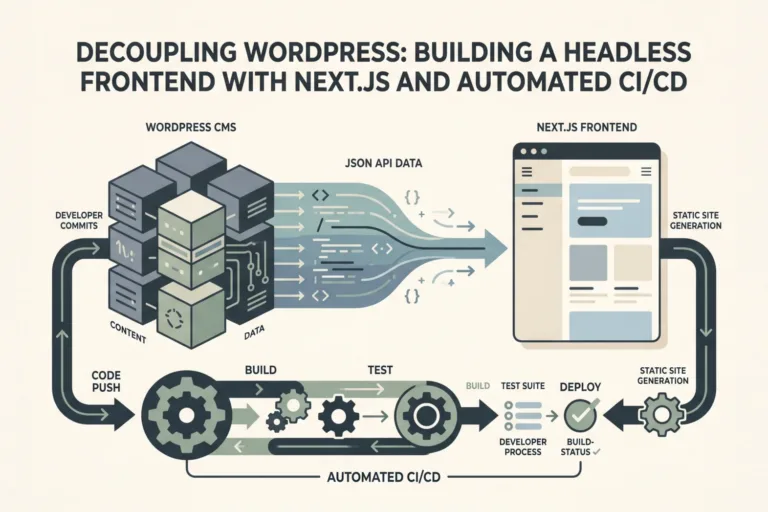
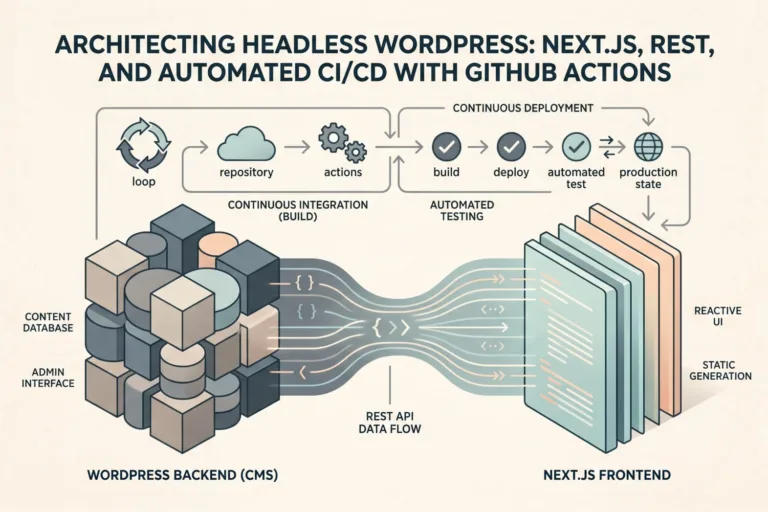
It was a small mental shift, but a huge technical one. We already had WordPress running as a backend for some other stuff, so ditching it entirely wasn’t an option. The mandate was clear: use WordPress as the content engine, but serve the front-end with something truly modern. So, I spun up a new Next.js project. WordPress became purely a data source. I meticulously designed custom post types for all the distinct content types – events, locations, speaker profiles – and leveraged Advanced Custom Fields to manage all the associated metadata. Dates, images, related content, custom slugs; ACF handled it beautifully. The WP REST API exposed everything exactly as I needed it. I did end up writing a couple of custom API endpoints to pre-process and aggregate some data, like pulling a speaker’s full profile and all their upcoming events in a single network request, just to cut down on client-side fetching complexity. That initial setup took about a week to get just right.
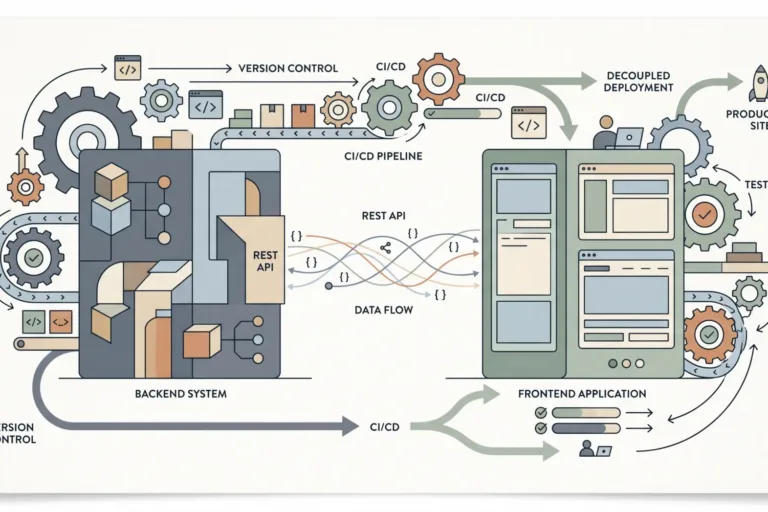
The real fun began with CI/CD. I split the project into two distinct GitHub repositories: one for the WordPress backend (themes, custom plugins, functions.php tweaks) and another for the Next.js front-end. This separation of concerns made deployments a lot cleaner. For the Next.js app, I set up a straightforward GitHub Actions workflow: on every push to main, it’d run npm install, npm run build, and then deploy directly to Vercel using their CLI and a couple of environment variables stored securely in GitHub Secrets. This part was almost frictionless, once I sorted out a pesky NEXT_PUBLIC_API_URL variable that was pointing to localhost in production for some reason. Rookie mistake.
The WordPress side was trickier. I didn’t want to redeploy the entire instance every time. My workflow focused on deploying only the theme and custom plugin directories. The GitHub Action would SSH into the server, pull the latest changes for just those directories, run composer install if there were new dependencies, and then clear any relevant caches. We weren’t doing frequent database migrations for this project, mostly content updates, so that simplified things considerably. The entire front-end deployment pipeline now takes under three minutes from commit to live, which is frankly liberating.
Honestly, going headless isn’t for every WordPress site. If you’re building a simple blog or a brochure site with minimal interactivity, the added complexity of managing two separate codebases and deployment pipelines probably isn’t worth the overhead. You’re adding a whole new layer to troubleshoot. But for sites demanding sub-second load times, dynamic content, and a modern developer experience with frameworks like React or Vue, it’s absolutely the way to go. You get to use the best content management system on the planet (yeah, I said it, still love WP for content) without any of its traditional performance baggage. Just be prepared to put in the work upfront. You won’t regret it.